
Your admin. Sorted, more easily.
Less back-and-forth email, submit documents the way you work, answer questions in thirty seconds. Your bookkeeper/accountant stays the same. Find your firm and pass on a tip.
- You keep your own bookkeeper
- No account needed
- Done in 30 seconds
Your admin, without the hassle
Less back-and-forth email, submit documents the way you work, answer questions in thirty seconds.
Less email chaos
No chains of fwd, re and lost attachments. Everything your bookkeeper needs from you is in one place.
Submit the way you work
WhatsApp, Gmail, Outlook, iCloud, cloud storage, the app or the dashboard. You pick the channel — it lands on the same pile.
Questions in 30 seconds
Is your bookkeeper missing something on an invoice? You get one question, tap an answer and it's done.
The same bookkeeper
Nothing changes about who you call or email. Autoboeker is the software in the background.
Submit the way you already work
Connect email, WhatsApp or cloud storage in Connect — or simply send through the app.
Document sources Connect email and WhatsApp so invoices and receipts arrive by themselves.
 GmailEmail attachments
 OutlookEmail attachments
- Other emailiCloud and other mailboxes (IMAP)
 WhatsAppForward your receipts and invoices
Cloud storage Connect your cloud storage to read in documents automatically.
 OneDriveFiles from selected folders
 DropboxFiles from selected folders
 Google DriveFiles from selected folders
 SharePointFiles from document libraries
App and dashboard Even without connecting anything: take a photo or upload a file.
- AppiOS and Android
- DashboardUpload or drag a file
One question. Done.
Is your bookkeeper missing something on an invoice or bank transaction? You get one targeted question. Pick a quick reply or type something short — your bookkeeper can move on.
- Question with the transaction
- Quick replies
- No lost attachments
Business owners who already work this way
Clients of firms that work with Autoboeker tell how submitting documents and answering questions works for them now.




One place for you and your bookkeeper
Questions, reports, invoices and connections — all in one dashboard.
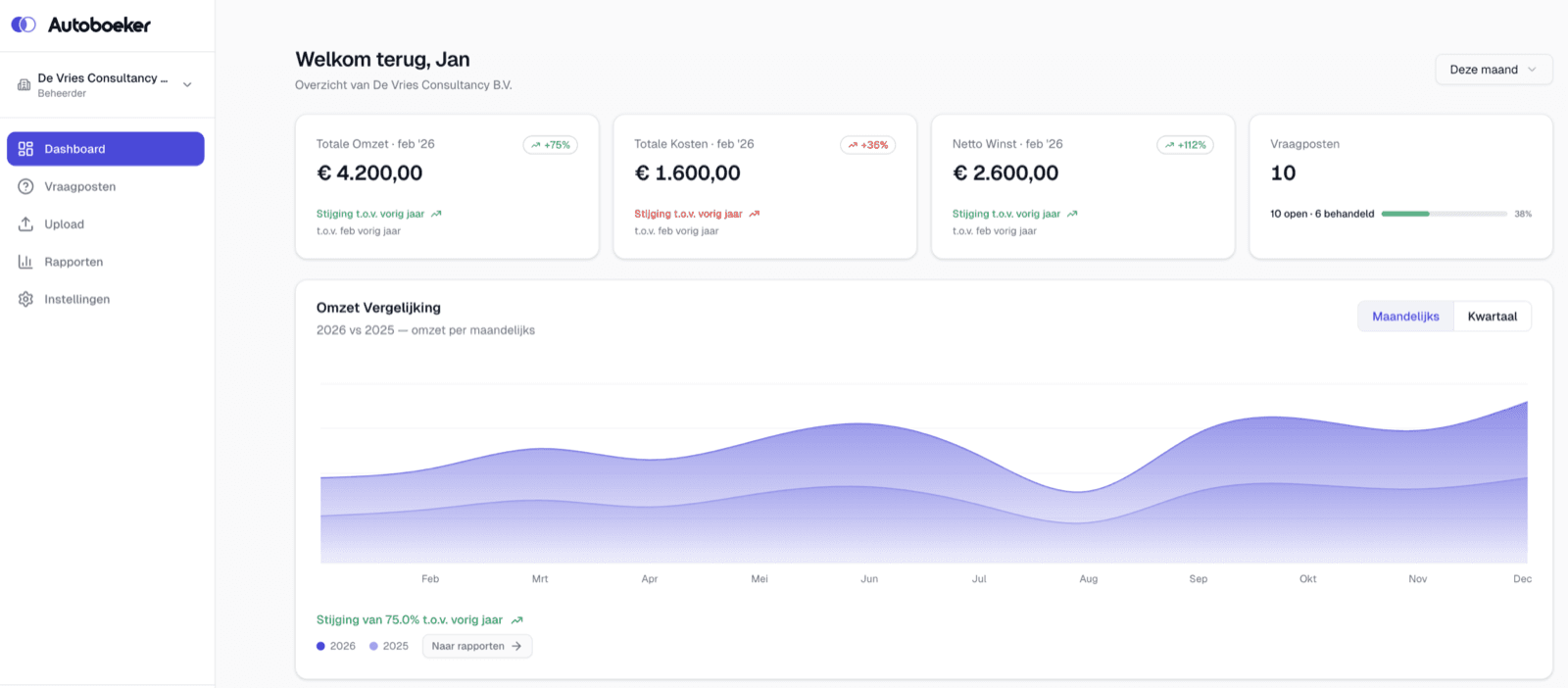
Full overview, always at hand
Real-time insight into revenue, costs, profit and open questions — all in one place.
- Revenue & costs overview
- Month-on-month comparison
- Question status
Receipt? Photo, done.
The Autoboeker app for iOS and Android. Submit documents, answer questions, view your numbers. Not required — but handy on the go.
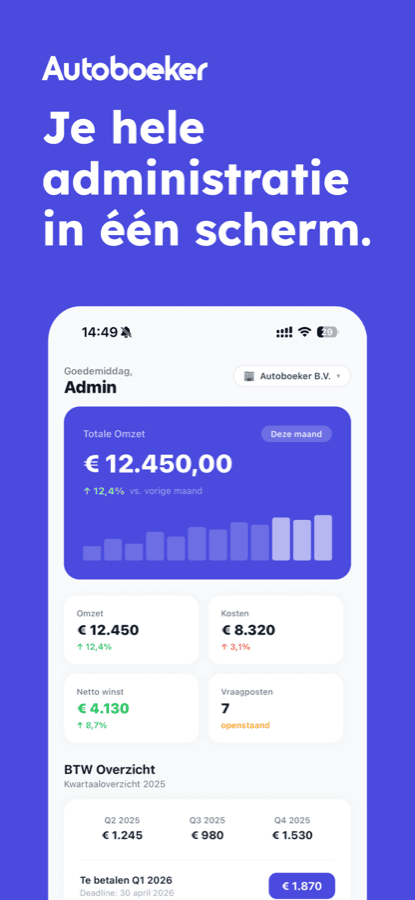
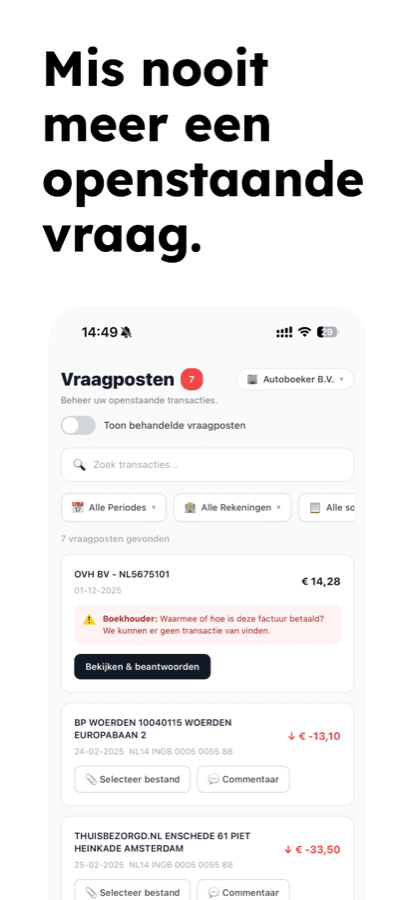
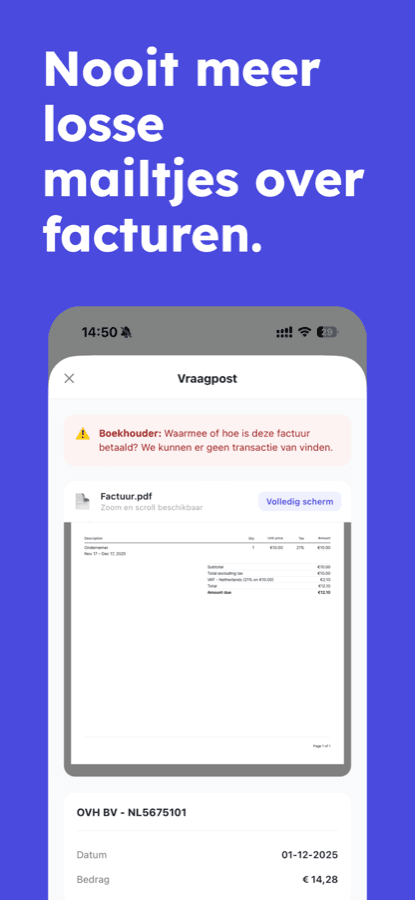
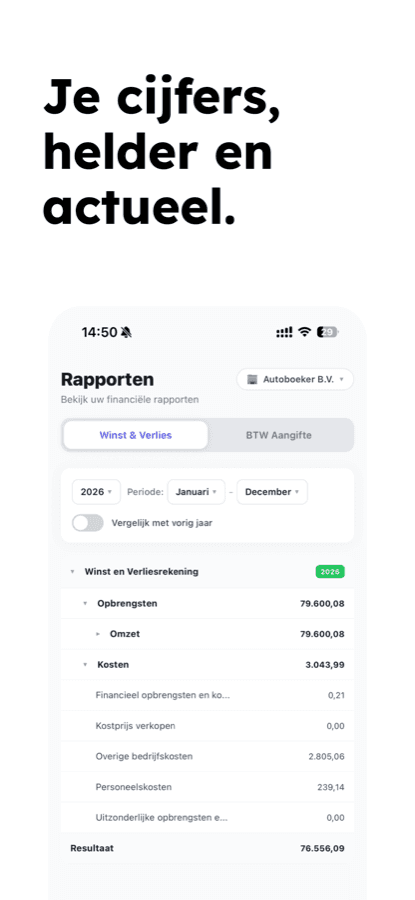
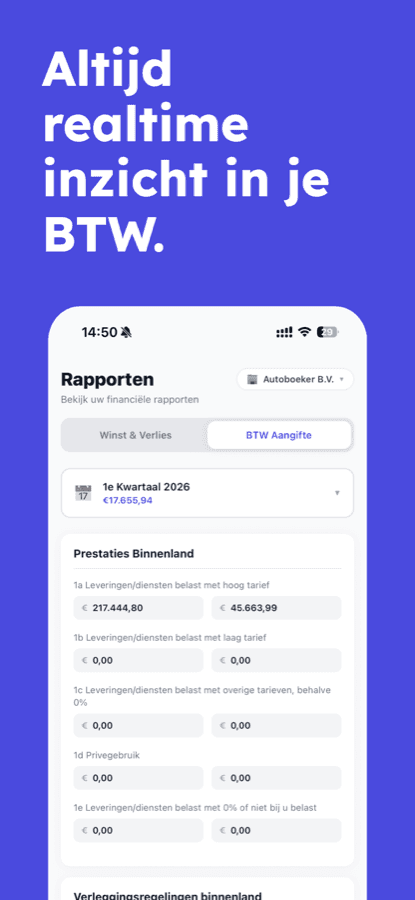
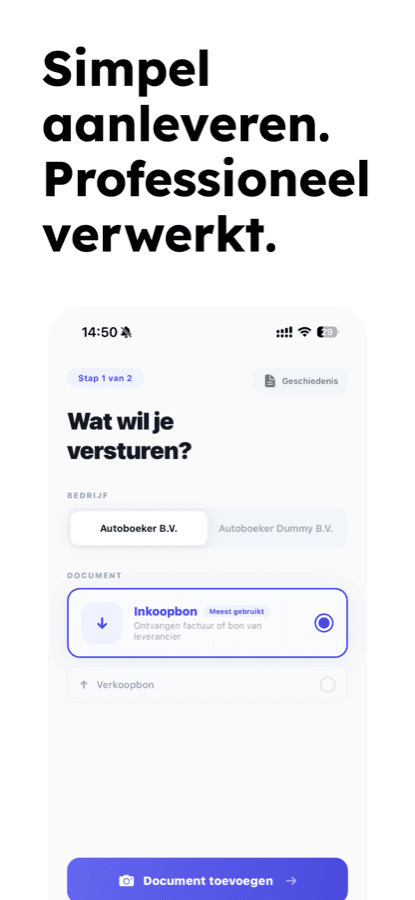
Swipe for more →
How to get this at your own firm
Autoboeker is software your bookkeeper uses. Want this too? Give your firm a tip, in half a minute.
Your bookkeeper decides
A tip is a signal, not an obligation. For you or for your firm.
Anonymous by default
Your name only goes to your firm if you tick that box yourself.
Free, no newsletter
Tipping costs nothing and we only use your details for your tip.
Step 1
Find your firm
Type your bookkeeper's name or town. Not listed? Add the firm in one click.
Step 2
Pass on your tip
Send a ready-made message via WhatsApp or email yourself, or make your tip count with us using your email address.
Step 3
We do the rest
When more clients of the same firm tip, we show that firm what Autoboeker can do for you.
Who is your bookkeeper/accountant?
Find your firm and tip Autoboeker in a few steps. You don't have to switch bookkeepers.
Autoboeker stays your bookkeeper's software
No. Your contact person stays the same. Autoboeker is the software your firm uses. You're just tipping that it can be easier.
Tipping is free and without obligation. Autoboeker is purchased by the firm. Whether and how that shows up in your fee is up to your bookkeeper.
Find your bookkeeper at the top of this page and choose how to pass on the tip: send a message yourself, or make your tip count with us. That's it.
Only if you want. If you send a message yourself, your bookkeeper naturally knows it's from you. If you make the tip count with us, we only share your first name and email address if you tick that separately.
We use it once to confirm the tip really came from you and to recognise duplicate tips. No newsletter, no sales emails. Want it removed? Email privacy@autoboeker.nl.
You'll see that as soon as you pick the firm. Ask your bookkeeper for an invite to the app; we've prepared a message for it.
Add the firm with its name and, if you know it, the town or website. We'll find the rest and your tip still counts.
You keep your own bookkeeper
You keep your own bookkeeper